

By Yiddy Lemmer, CEO – CompuConnect, Inc.
Email and file sharing keep a home healthcare agency moving.
Your administrative team may use them every day for employee records, payroll, referrals, billing documents, schedules, contracts, reports, and other sensitive information.
The challenge is making that work secure without making it harder.
Employees should not need to send files to personal email, create public sharing links, or use unmanaged devices just to get their jobs done. Those workarounds often appear when the approved process is unclear, inconvenient, or unreliable.
For home healthcare administrators, the goal is simple:
Keep business information inside approved systems, control who can access it, verify sensitive requests, and make it easy for employees to ask for help when something looks wrong.
Here are the areas worth reviewing.
1. Keep Agency Information Inside Approved Systems
One of the most useful security rules is also one of the simplest:
Business information stays in business systems.
Employees should not need to forward documents to personal Gmail accounts, save them in consumer file-sharing services, or move them to unmanaged devices.
Once information leaves systems controlled by the agency, visibility and control can disappear with it.
Administrators should clearly define:
- Where documents should be stored
- Which file-sharing platforms are approved
- Which devices may access agency information
- Whether personal devices are permitted
- Who employees should contact when access is not working
If employees regularly create their own workarounds, the underlying process deserves attention.
Secure technology should make the right choice easier, not harder.
2. Think Twice Before Sending Sensitive Attachments
Email attachments feel simple, but they are difficult to control once sent.
A spreadsheet emailed to a coworker may end up in multiple mailboxes, downloads folders, devices, archives, and backups.
If it goes to the wrong recipient, there may be no easy way to pull it back.
When appropriate, sharing access to a securely managed file can provide more control than repeatedly emailing copies.
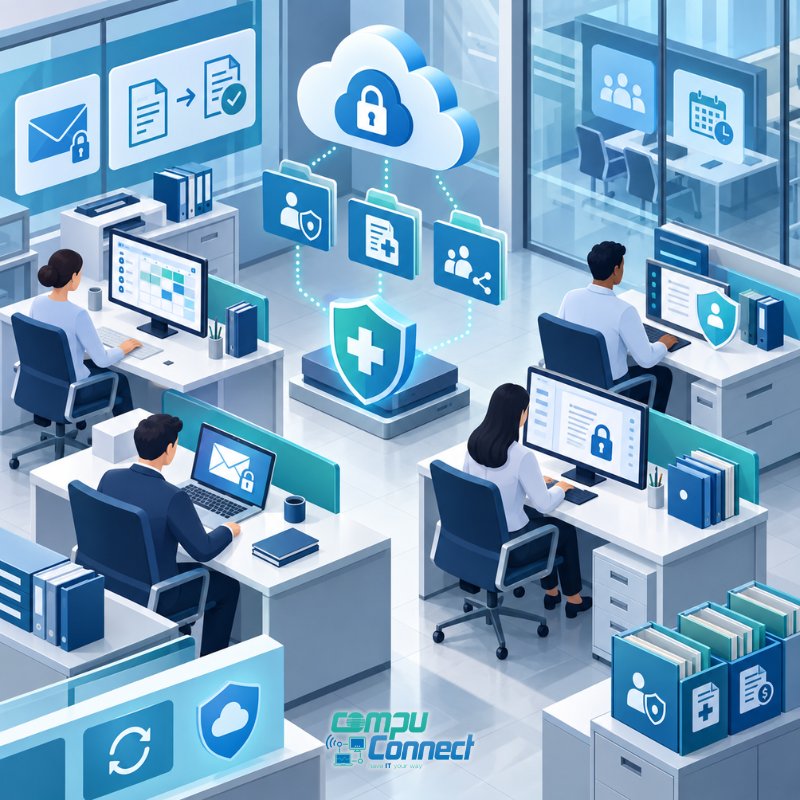
Properly configured cloud file sharing can make it easier to:
- Limit who has access
- Remove access later
- Keep one current version of a document
- Reduce unnecessary copies
- Better manage external sharing
The question should not just be, “Can we send this?”
It should be, “What is the safest practical way to share it?”
3. Review Who Can Share What
A file can be stored securely and still be shared insecurely.
For example, employees may create broad sharing links because they are quick and convenient.
Administrators should review file-sharing settings with their IT provider.
Ask:
Can staff create anonymous or public links?
Can files be shared with anyone outside the agency?
Do external links expire?
Can sensitive files be downloaded to unmanaged devices?
Are permissions reviewed when roles change?
Can old access be removed easily?
The goal is not to stop collaboration.
It is to make sure sharing is intentional.
4. Require Multi-Factor Authentication
A stolen password should not automatically become a stolen account.
Multi-factor authentication adds another verification step when someone signs in and can provide an important extra layer of protection for email, Microsoft 365, remote access, and other business systems.
That matters for home healthcare agencies because administrators and employees may access systems from different locations, laptops, and mobile devices.
Multi-factor authentication should be part of a broader account-security strategy that includes appropriate access controls, monitoring, and regular review.
Turning it on is important.
Making sure it is configured properly is just as important.
5. Train Employees to Question Login Pages
A phishing email does not need to look suspicious anymore.
An employee may receive a message saying:
“You have a secure document waiting.”
They click.
A familiar-looking login page appears.
They enter their password.
And the attacker now has the credentials.
Employees should be cautious with unexpected:
- Shared-document notifications
- Password reset requests
- Login prompts
- Account verification messages
- QR codes
- Urgent security notices
A better habit is:
Do not ask only, “Does this look legitimate?”
Ask:
“Can I verify this another way?”
And when someone is unsure, they should know exactly who to contact.
6. Verify Financial Changes Outside of Email
Some attacks are designed to steal money rather than files.
A message may appear to come from an employee, vendor, executive, payroll contact, or other trusted person.
The request might say:
“Please update my direct deposit information.”
Or:
“Our banking information changed. Use this account for future payments.”
These requests can be extremely convincing.
Home healthcare agencies should establish a clear verification process for:
- Payroll changes
- Direct-deposit requests
- Vendor bank changes
- Payment instructions
- Other sensitive financial transactions
Important financial changes should be confirmed through a known phone number or another trusted method.
Email alone should not be enough.
7. Keep Personal Email Out of Agency Work
Personal email may seem convenient when someone is working remotely or having trouble accessing an agency account.
But it creates a control problem.
Once agency information is forwarded to a personal account, the organization may no longer know where that information is stored, who has access to it, or how long it remains there.
Instead, employees should have secure, reliable access to the business systems they need.
If using personal email feels easier than using the approved process, that is a workflow problem worth fixing.
8. Pay Attention to Personal Phones
Mobile access can create similar challenges.
An employee may download a file, take a screenshot, save an attachment, or sync information to a personal cloud account.
Now the agency has to ask:
Where did that information go?
If personal or mobile devices are permitted, administrators should establish clear expectations around what can be accessed, downloaded, stored, or shared.
Depending on the environment, mobile device management and other security controls may help the agency better manage business information on supported devices.
The goal is not necessarily to prohibit mobile access.
It is to make sure mobile access is controlled.
9. Remove Access Promptly When Employees Leave
Offboarding is easy to underestimate.
When someone leaves a home healthcare agency, their access should be reviewed and removed promptly.
That may include:
- Microsoft 365
- Shared folders
- Remote access
- Cloud applications
- Line-of-business systems
- Mobile access
- Other agency accounts
The same applies when an employee changes roles.
Access should reflect what someone needs now, not what they needed two years ago.
A consistent onboarding and offboarding process can prevent old accounts and unnecessary permissions from becoming long-term risks.
10. Give Employees Rules They Can Remember
Security policies do not help much if employees cannot understand or follow them.
Keep the everyday rules simple.
- Use business email for business information.
- Store documents only in approved locations.
- Do not send agency information to personal accounts.
- Do not approve financial changes based on email alone.
- Avoid public sharing links unless specifically approved.
- Report suspicious messages quickly.
- If you are unsure, ask before you click, send, or approve.
Good cybersecurity should make secure behavior easier to follow.
A Quick Security Check for Home Healthcare Administrators
You do not need to become an IT expert.
But you should be able to answer these questions with confidence:
- Is multi-factor authentication enabled where appropriate?
- Are Microsoft 365 and email professionally managed?
- Do employees know where files belong?
- Is external file sharing controlled?
- Are personal email accounts kept out of agency workflows?
- Are mobile devices handled appropriately?
- Are employees trained to recognize phishing?
- Are payroll and banking changes independently verified?
- Are permissions based on job responsibilities?
- Is access removed promptly during offboarding?
- Are suspicious account and email events monitored?
- Does everyone know who to call when something feels wrong?
If several answers are unclear, that is a good reason to review the environment.
Secure Technology Should Help Employees Work Better
Home healthcare administrators have to balance security with productivity.
Too little control creates risk.
Too much friction creates workarounds.
The better approach is a technology environment where employees can access what they need, share information appropriately, and get help quickly when something goes wrong.
That requires more than security software.
It requires clear processes, properly managed technology, employee awareness, and responsive support.
How CompuConnect Helps Home Healthcare Agencies
CompuConnect helps home healthcare agencies strengthen the office, administrative, and operational side of their technology.
That can include:
- Microsoft 365 management and security
- Email security
- User access and permissions
- Multi-factor authentication
- Endpoint and device security
- Backup and disaster recovery
- Cybersecurity monitoring
- Employee onboarding and offboarding
- Security and technology planning
Most importantly, CompuConnect clients receive 100% live human support.
When an administrator or employee has a question, they can reach real people who understand the business and can help them determine the right next step.
Make Secure File Sharing the Easy Choice
Secure email and file sharing come down to three things:
The right technology. Clear processes. Employees who know what to do.
Your team should not have to choose between getting work done and protecting sensitive information.
If you are unsure whether your current email, file-sharing, access, or security practices are giving your agency the right balance of protection and productivity, schedule a Discovery Call with CompuConnect.
A practical review can help identify gaps, simplify workflows, and create a stronger foundation for security, stability, and business continuity.
About the Author
 Yiddy Lemmer is the Founder and CEO of CompuConnect IT, a leading IT support and cybersecurity firm serving small and midsize businesses across New York and New Jersey. With over 18 years of hands-on experience, multiple Microsoft and CompTIA certifications, and deep roots in Brooklyn, Yiddy leads with a passion for technology, service excellence, and helping businesses thrive through secure and efficient IT systems.