


By Yiddy Lemmer, CEO – CompuConnect, Inc.
A client emails your firm asking for a copy of a tax return.
It looks normal.
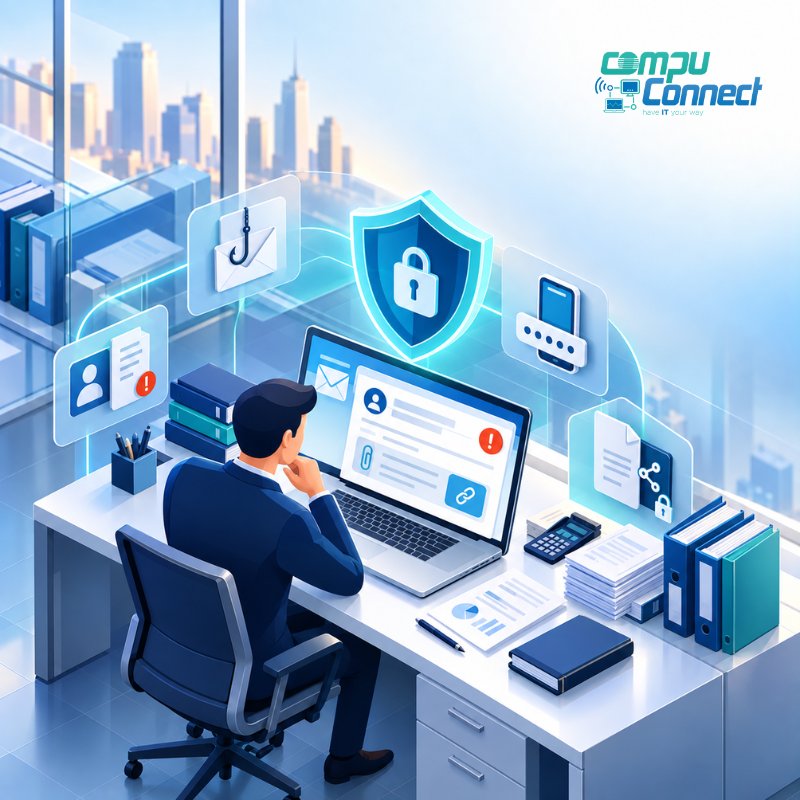
They say they are traveling. They cannot access the portal. They need the document quickly and ask your employee to send it to a different email address.
What happens next?
That moment matters.
For CPA and accounting firms, cybersecurity is not only about firewalls, passwords, and antivirus software. It is also about what your employees do when someone asks them to send, change, access, or share sensitive client information.
And when people are busy, a convincing request can be enough to cause a serious problem.
That is why your firm needs a clear cybersecurity plan before the questionable email arrives.
The Most Dangerous Request May Look Completely Normal
CPA firms handle sensitive information every day.
Tax returns. Social Security numbers. Banking information. Payroll records. Financial statements. Employee information. Business records.
Clients also legitimately ask for those records every day.
That is what makes this difficult.
Your team is expected to be responsive. Clients want answers quickly. Employees are trying to provide good service.
Attackers know that.
They do not always need to break into your network if they can convince someone to hand over the information.
A request like this can sound completely reasonable:
“I’m traveling and can’t access the portal. Can you send my return to this email instead? I need it for the bank today.”
The problem is not necessarily the wording.
The problem is the change in normal procedure.
A different email address.
An unusual link.
A request to bypass the portal.
A sudden access reset.
Pressure to act immediately.
Your employees should not have to decide what to do in that moment based on instinct.
They should already know the process.
1. Decide How Sensitive Requests Get Verified
If a client suddenly asks for confidential information to be sent somewhere new, your team should know how to verify the request.
One important rule:
Do not use the information inside the suspicious request to verify that same request.
If the email says, “Call me at this new number,” that new number should not automatically become your verification method.
Instead, use contact information already on file or another trusted communication channel.
The process does not need to be complicated.
It just needs to be clear.
Your employees should know:
- Which requests require extra verification
- How to verify them
- Who to involve if something feels unusual
- When not to send information
That removes guesswork at exactly the moment when someone may be under pressure to act quickly.
2. Make the Secure Way the Easy Way
If your secure file-sharing process is frustrating, employees will be tempted to work around it.
That is human nature.
If uploading a document securely takes several confusing steps but attaching it to an email takes seconds, shortcuts become more likely.
Your firm should have an approved method for sharing sensitive client information, and employees should be comfortable using it.
Secure processes work best when they fit naturally into the workday.
The goal is not simply to create a policy.
The goal is to create a process people will actually follow.
3. Teach Your Team to Recognize Pressure
Many suspicious requests are designed to create urgency.
“I need this immediately.”
“I’m in a meeting. Please don’t call.”
“I’m traveling.”
“Use this new email.”
“Reset my access.”
“Click here.”
None of those phrases proves that a message is fraudulent.
But urgency combined with a change in normal behavior should make someone stop and verify.
That is a useful habit to build across the firm:
Unusual request + urgency = slow down and check.
A few extra minutes of verification can be far less disruptive than dealing with exposed client information later.
4. Protect Accounts With Multi-Factor Authentication
Sometimes the suspicious message really does come from a legitimate email account.
The account itself may have been compromised.
That makes the request much harder to spot.
Multi-factor authentication, or MFA, adds another layer of protection when someone tries to access an account using stolen credentials.
CPA firms should review MFA across important systems, including:
- Microsoft 365
- Cloud applications
- Remote access
- Other systems containing sensitive information
MFA is not the entire cybersecurity strategy.
But it is an important layer between stolen credentials and unauthorized access.
5. Limit Access to What Employees Actually Need
Not every employee needs access to every client file or every system.
The more unnecessary access exists, the more opportunities there are for something to go wrong.
Your firm should regularly review:
- Who can access sensitive client information
- Who has administrative privileges
- Whether employees still need the access they have
- What happens when someone changes roles
- How quickly access is removed when someone leaves
- Whether outside vendors have access to critical systems
Good access control is not about making work harder.
It is about making sure people have the access they need, and not more than they need.
6. Make Reporting a Mistake Easy
Suppose an employee clicks a suspicious link.
Do they know exactly who to call?
Or do they wait because they are embarrassed, unsure, or hoping nothing happens?
That delay matters.
Employees should feel comfortable reporting a suspicious email, unexpected login prompt, accidental click, questionable request, or other concern immediately.
The goal is not to blame the person who reported it.
The goal is to give the right people a chance to respond quickly.
A strong cybersecurity culture makes it easy to say:
“Something does not look right. Can you check this?”
7. Know What Happens After Something Goes Wrong
Cybersecurity planning should not stop at prevention.
Your firm should also know what happens if there is an incident.
Who gets called first?
Should an account be locked?
Does a system need to be disconnected?
Who contacts cyber insurance?
When should legal counsel be involved?
How will the firm continue working?
Who communicates with employees or clients if needed?
Those decisions are much harder to make when everyone is already under pressure.
An incident response plan gives your team a starting point.
Depending on the situation, response may involve IT, legal counsel, cyber insurance, forensic specialists, regulatory professionals, or law enforcement.
The important thing is knowing in advance who is responsible for what.
8. Make Sure Backups Are Part of the Plan
A suspicious email may begin as one small event.
But if credentials are compromised, an attacker may try to access other systems, cloud storage, email, or business data.
Some incidents can also interrupt normal operations.
That is why cybersecurity, backups, and business continuity should be connected.
Your firm should know:
- What is being backed up
- Whether backups are monitored
- Whether Microsoft 365 and cloud data are protected
- Whether restore procedures have been tested
- How quickly important information could be recovered
- What employees would do if a critical system became unavailable
The question is not simply:
“Do we have backups?”
It is:
“Could we actually recover what we need and keep working?”
9. Test the Plan Before Busy Season
A policy can look great on paper and fall apart during a busy workday.
That is especially true for CPA firms.
Inbox volume increases.
Deadlines get tighter.
Employees work longer hours.
Clients want faster answers.
That is when shortcuts become more tempting.
Before busy season, ask a few practical questions:
Does everyone know how to verify an unusual request?
Does everyone know how sensitive information should be shared?
Does everyone know how to report something suspicious?
Are access permissions current?
Are backups working?
Does the team know who to call if something happens?
If the answer to any of those questions is unclear, that is worth addressing before the pressure increases.
Cybersecurity Is Really About Protecting Client Trust
Your clients may never ask what security platform you use.
They may never know how your Microsoft 365 environment is configured.
They may never see the monitoring, access controls, backups, or employee training happening behind the scenes.
But they expect you to protect their information.
That trust is part of the relationship.
A strong cybersecurity plan helps protect it by giving your employees clear procedures, secure systems, and support when something unusual happens.
Because the worst time to decide how your firm should respond to a suspicious client request is after someone has already clicked Send.
Make the Plan Before You Need It
Cybersecurity should not make it harder for your CPA firm to serve clients.
It should help your team work confidently, securely, and consistently.
That means having clear verification procedures, secure file sharing, appropriate access controls, tested backups, employee awareness, and a plan for what happens when something goes wrong.
At CompuConnect, we help CPA and accounting firms build a more proactive approach to IT and cybersecurity, with reliable systems, practical planning, and 100% live human support when employees need help.
If you are not sure how your firm would respond to a suspicious client data request, schedule a Discovery Call with CompuConnect.
We can talk through your current cybersecurity environment, identify where the biggest gaps may be, and help you build a clearer plan before a real situation puts it to the test.
About the Author
 Yiddy Lemmer is the Founder and CEO of CompuConnect IT, a leading IT support and cybersecurity firm serving small and midsize businesses across New York and New Jersey. With over 18 years of hands-on experience, multiple Microsoft and CompTIA certifications, and deep roots in Brooklyn, Yiddy leads with a passion for technology, service excellence, and helping businesses thrive through secure and efficient IT systems.