

 Most business owners do not think about technology until it becomes a problem.
A computer freezes during a busy morning. A server slows everyone down. An application stops playing nicely with the rest of the system. Suddenly, IT is no longer in the background. It is front and center, demanding attention when you have more important things to focus on.
At CompuConnect, we help businesses across Brooklyn, Manhattan, New York City, Brick, South Jersey, and the greater Tri-State Area avoid those moments by planning ahead. Instead of reacting to breakdowns, we help organizations understand where their technology stands and what should come next.
Because technology has a life cycle, whether it is managed intentionally or not.
Why the Technology Life Cycle Matters More Than You Think
Every device, system, and platform in your business is either helping you move forward or quietly slowing you down.
When technology is managed proactively:
- Work stays consistent
- Costs are predictable
- Security risks stay lower
- Decisions feel calm instead of rushed
When it is ignored:
- Small issues turn into emergencies
- Downtime hits at the worst times
- Budgets get blown by surprise expenses
- Teams grow frustrated
Understanding the technology life cycle gives you back control.
Stage 1: Everything Works and That Is Exactly When You Should Plan
This is the stage most businesses take for granted.
Systems are fast enough. Software works. No one is complaining. From the outside, it feels like there is nothing to worry about.
This is actually the best time to plan.
Healthy systems usually have:
- Supported operating systems and software
- Current security updates
- Reliable performance
- Compatibility with modern tools and cloud services
At this stage, CompuConnect helps by monitoring systems in the background, applying updates, and reviewing your environment regularly. The goal is simple. Keep things running smoothly and spot risks early, before they turn into disruptions.
Planning starts here, not after something breaks.
Stage 2: Things Still Work, But They Feel Slower
This stage is easy to miss.
Logins take longer. Updates interrupt work. WiFi feels inconsistent. Staff start saying things like, “It’s been slow lately,” or “This used to work better.”
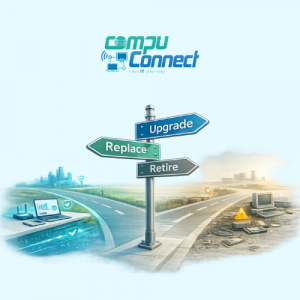
This is often the ideal time to upgrade instead of replace.
Smart upgrades may include:
- Adding memory or storage to workstations
- Updating software before it loses support
- Improving network or WiFi performance
- Moving older systems to more stable platforms
Many businesses across New York and New Jersey miss this window and end up dealing with avoidable downtime later. We help clients recognize these warning signs early and make upgrades in a planned, cost-effective way.
Small changes here prevent big problems later.
Stage 3: Technology Starts Getting in the Way
Eventually, every system reaches a point where upgrades are no longer enough.
Crashes become more frequent. Workarounds become normal. Security updates stop coming. Productivity drops, and frustration rises.
Common signs it may be time to replace or retire technology include:
- Repeated issues with no clear fix
- Software that no longer works with modern tools
- Hardware failures becoming routine
- Increased security risk
- Employees losing time to unreliable systems
This is where many business owners feel stuck. They know something needs to change but are unsure what to replace, how much it will cost, or how disruptive it will be.
At CompuConnect, this is where we do our best work. We help businesses across NYC, Brooklyn, Brick, South Jersey, and the Tri-State Area plan replacements in phases, with clear timelines and minimal disruption. No rushed decisions. No surprises.
Stage 4: Retiring What You No Longer Need
One of the most overlooked steps in IT is retirement.
Old systems, unused licenses, and outdated tools often stay in place simply because no one takes ownership of shutting them down.
This creates unnecessary risk and cost.
Retiring outdated technology helps:
- Reduce security exposure
- Lower ongoing software and licensing costs
- Simplify support and training
- Make the entire environment easier to manage
Simpler environments are more reliable environments. We help clients clean things up safely and intentionally.
How CompuConnect Helps Throughout the Entire Life Cycle
At CompuConnect, we do not just fix what breaks.
We help businesses understand where their technology is today, what is coming next, and how to plan for it without stress.
Our managed IT services support the full technology life cycle through:
- Continuous monitoring and maintenance
- Hardware and software planning
- Clear recommendations without pressure
- Security and compliance alignment
- Local, responsive support from real people
Businesses across New York and New Jersey work with us because they want IT that feels predictable, not reactive.
Final Thought
Technology problems rarely come out of nowhere. Most give warning signs long before they cause disruption.
Understanding the life cycle of your business technology helps you make smarter decisions, control costs, and avoid unnecessary stress.
If you want help figuring out where your systems stand and what makes sense next, CompuConnect is here to help.
Schedule a discovery call to talk through your environment and plan ahead with confidence.