

By Yiddy Lemmer, CEO – CompuConnect, Inc.
Most businesses can transition to a new IT provider in 30 to 90 days. The exact timeline depends on the size of the organization, the complexity of its systems, the condition of existing documentation, and how smoothly access can be transferred from the current provider.
A professional IT provider transition should not leave your business unsupported for 90 days. In a structured onboarding process, employees can begin receiving support early while the provider reviews systems, confirms access, evaluates cybersecurity, documents the environment, and builds a long-term IT plan.
For smaller businesses with straightforward systems, the transition may take only a few weeks. For organizations with multiple locations, compliance requirements, aging infrastructure, cybersecurity concerns, or missing documentation, the process may take longer.
At CompuConnect, the transition is designed to help your business move from reactive IT support to proactive managed IT services with stronger stability, better visibility, practical cybersecurity planning, and 100% live human support.
Quick Answer: How Long Does Managed IT Onboarding Take?
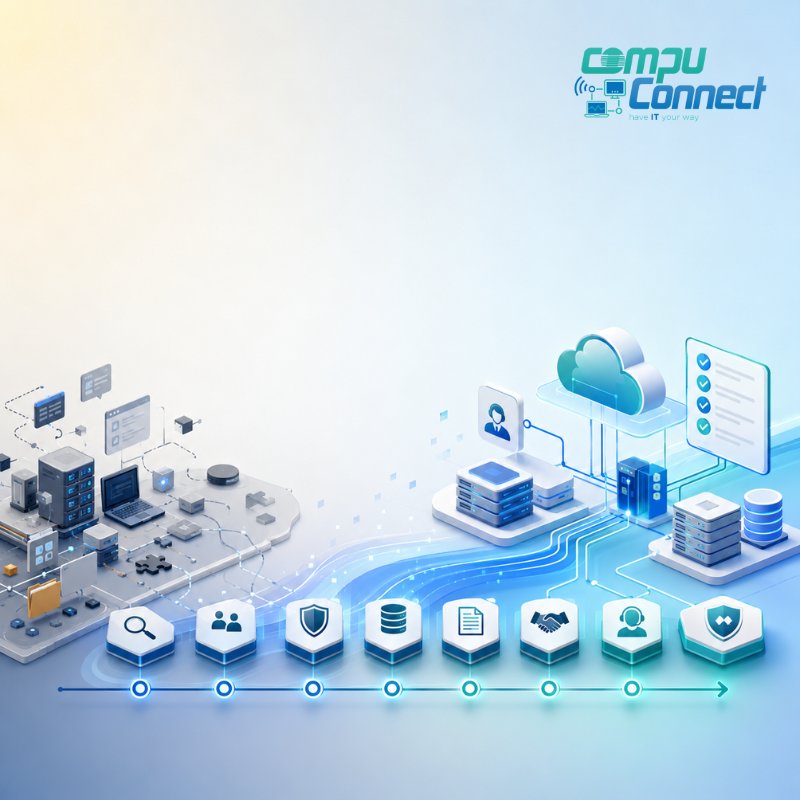
Most businesses can expect managed IT onboarding to follow this general timeline:
1 to 2 Weeks: Discovery and Transition Planning
The first stage focuses on understanding your business, identifying critical systems, reviewing immediate concerns, and creating a transition plan.
This may include reviewing current IT vendors, user counts, devices, cloud systems, known support issues, compliance requirements, and business priorities.
2 to 4 Weeks: Access, Security Review, and Support Setup
The next stage usually includes collecting administrative access, reviewing cybersecurity controls, setting up support channels, documenting systems, and coordinating with vendors or the previous IT provider.
During this stage, your employees should also learn how to request support and what to expect when they need help.
30 to 90 Days: Stabilization, Optimization, and IT Roadmap Development
The full transition period often includes deeper documentation, backup validation, cybersecurity improvements, device standardization, system cleanup, vendor clarification, and long-term planning.
By the end of this period, your business should have clearer support processes, better documentation, stronger visibility, and a practical roadmap for improving reliability, productivity, cybersecurity, and business continuity.
Why Businesses Switch IT Providers
Businesses usually begin looking for a new IT provider when their current support model no longer fits the way the organization operates.
Common reasons include:
- Slow response times
- Recurring technical issues
- Poor communication
- Unclear billing
- Unexpected invoices
- Limited cybersecurity guidance
- Weak documentation
- Reactive support that only responds after something breaks
- Lack of strategic IT planning
- Employees feeling unsure about where to turn for help
In many cases, the current provider may be solving individual issues but not helping the business build a stronger technology foundation.
That is the difference between basic IT support and a proactive managed services provider. Your business needs more than someone to call when a system stops working. You need a strategic IT advisor who understands your operations, supports your team, protects your systems, and helps leadership make better technology decisions.
What Happens During an IT Provider Transition?
A smooth IT provider transition follows a structured process. The exact steps vary by business, but a strong transition usually includes discovery, planning, access review, cybersecurity checks, support setup, documentation, and long-term IT strategy.
The purpose is to help the new provider understand the environment before making major changes. This protects business continuity, reduces disruption, and gives your employees a clearer support experience.
What Does a New IT Provider Review First?
A new IT provider should begin by understanding the business behind the technology.
This includes reviewing how your team works, which systems are business-critical, what issues happen repeatedly, which vendors are involved, and what leadership needs from IT.
A strong discovery process may include reviewing:
- Computers, laptops, and mobile devices
- Servers
- Cloud platforms
- Microsoft 365 or Google Workspace
- Email security
- Firewalls and network equipment
- Backup systems
- Cybersecurity tools
- Remote access tools
- Line-of-business applications
- Internet, phone, and telecom services
- Vendor relationships
- Compliance or cyber insurance requirements
This stage helps identify what is stable, what needs attention, and what risks should be prioritized.
For CompuConnect, this discovery stage is not only technical. It is operational and strategic. The goal is to understand how technology supports productivity, security, business continuity, and day-to-day performance.
How CompuConnect Structures the Onboarding Experience
CompuConnect's onboarding approach is built around clarity, early support coverage, cybersecurity visibility, documentation, and a smooth path into ongoing managed IT services.
While every business environment is different, the transition generally follows a clear client-focused progression.
Agreement and Internal Transition Planning
Once the agreement is in place, the onboarding process begins with internal preparation.
This includes organizing account information, reviewing known business needs, assigning the right internal resources, and preparing for the client kickoff. The goal is to make sure the transition is structured before technical work begins.
This early planning helps prevent a rushed handoff. Before major changes are made, the IT provider should understand your users, systems, vendors, priorities, and any immediate concerns that could affect operations.
For your business, this means the transition starts with a plan instead of uncertainty.
Onboarding Meeting and Expectation Setting
The onboarding meeting helps align expectations between your leadership team and the IT provider.
This is where the provider learns how your business operates, which systems matter most, who needs support, what issues have been recurring, and what success should look like during the first phase of the relationship.
This meeting also gives your team a clear understanding of:
- How support requests will be handled
- Who employees should contact for help
- What information may be needed during the transition
- Which systems will be reviewed first
- How communication will work
- What priorities should guide the first 30, 60, and 90 days
This step is important because IT support is not only about devices, software, and tools. It is about helping the business operate with more stability and confidence.
Can Employees Get Support Before Onboarding Is Complete?
Yes. In a well-managed transition, employees should receive support early in the onboarding process.
Your team should know how to reach support, what information to provide, and what happens after they request help. This may include phone support, email support, remote support setup, escalation paths, and clear communication expectations.
This is where CompuConnect's 100% live human support becomes central to the client experience.
Employees should not feel like they are sending issues into an impersonal queue with no context or accountability. They should know that real people are available to help, communicate clearly, and support the business with care.
That human support experience matters because IT issues are not just technical interruptions. They affect productivity, client service, deadlines, operations, and confidence.
Documentation and Access Collection
One of the most important parts of switching IT providers is gaining secure administrative access to the systems your business depends on.
This may include access to:
- Microsoft 365 or Google Workspace
- Domain names
- Website hosting
- Firewalls
- Servers
- Cloud systems
- Backup platforms
- Endpoint protection tools
- Remote management tools
- Software licenses
- Vendor portals
- Internet and telecom accounts
This stage often determines how quickly the transition can move.
When documentation is organized and passwords are available, onboarding is usually faster. When access is missing, outdated, shared, or controlled by a previous provider, the new provider may need additional time to recover, reset, or rebuild access safely.
A responsible IT partner will not rush this process. Administrative access must be handled carefully because it affects security, operations, and accountability.
Coordination With the Previous IT Provider
In many transitions, the new IT provider coordinates with the previous provider to request documentation, credentials, licensing details, network information, and system records.
A professional handoff can reduce confusion and help protect business continuity. However, not every previous provider responds quickly or provides complete information.
That is why your new provider should have a plan for incomplete documentation, missing passwords, unclear vendor ownership, or delayed communication.
The right managed services provider can help your business keep moving even when the handoff is not perfect.
Cybersecurity, Backup, and Network Review
Switching IT providers is an important time to review cybersecurity and business continuity systems.
Before making major changes, the new provider should confirm who has access to critical systems, whether protections are active, and whether any immediate risks need attention.
This may include reviewing:
- Administrator accounts
- Former employee access
- Previous vendor access
- Multi-factor authentication
- Firewall settings
- Endpoint protection
- Email security
- Backup status
- Remote access tools
- Password practices
- Shared accounts
- Unsupported software
- Cloud security settings
This step is not about creating panic. It is about making sure your business has a clear, secure starting point.
A careful transition also includes reviewing backup systems, network structure, monitoring, email protection, endpoint security, and other safeguards that help keep operations stable.
For many businesses, the transition is a chance to close gaps that have built up over time. It can also create a stronger foundation for compliance, cyber insurance requirements, business continuity, and future planning.
Network and Environment Documentation
One of the most valuable outcomes of onboarding is better documentation.
Your IT provider should develop a clear understanding of the network, users, devices, vendors, systems, applications, and support needs. This documentation becomes the foundation for faster support, better planning, stronger security, and smoother future projects.
Without documentation, IT support becomes reactive. With documentation, your provider can support your business more confidently and proactively.
Good documentation helps answer important questions such as:
- Who has access to key systems?
- Which devices are active?
- What vendors support critical services?
- Which systems need backup?
- What applications are business-critical?
- Where are the highest operational risks?
- What should be improved first?
This visibility allows your IT provider to move beyond basic support and act as a strategic advisor.
Stabilization and Ongoing Management
After the first phase of the transition, the focus shifts from access and support coverage to stabilization.
This may include:
- Cleaning up old tools
- Removing unnecessary software
- Improving backup reliability
- Standardizing devices
- Updating systems
- Reviewing recurring issues
- Strengthening cybersecurity
- Improving documentation
- Clarifying vendor relationships
- Building a long-term IT roadmap
This is where the relationship becomes more strategic.
Instead of reacting to each issue separately, your IT provider should help your leadership team understand what needs attention, what can wait, what creates risk, and where technology investments will have the greatest business impact.
The goal is not only to complete the transition. The goal is to help your business operate with more stability, stronger cybersecurity, clearer support, and a practical IT roadmap.
What Can Slow Down an IT Provider Transition?
Several factors can extend the transition timeline.
The most common delay is poor documentation. If no one knows where credentials are stored, how systems are configured, who owns vendor accounts, or which tools are still active, the new provider has to spend more time investigating.
Other common delays include:
- Slow response from the previous IT provider
- Missing administrator access
- Outdated systems
- Unsupported software
- Multiple office locations
- Complex compliance requirements
- Old servers
- Unverified backups
- Custom applications
- Unclear vendor contracts
- Shared passwords or shared admin accounts
- Cybersecurity gaps that need immediate attention
These issues do not mean the transition cannot happen. They simply mean the new provider needs a careful process to reduce risk and protect continuity.
Can You Switch IT Providers Without Downtime?
Yes. Most businesses can switch IT providers with little to no downtime when the transition is planned correctly.
The key is to avoid unnecessary disruption. A responsible provider will not make major system changes before understanding the environment, confirming access, reviewing backups, and identifying business-critical systems.
The goal is not to move fast for the sake of speed. The goal is to move safely, clearly, and with minimal interruption to daily operations.
A smooth transition protects your employees, your data, your clients, and your ability to keep working.
What Should You Prepare Before Switching IT Providers?
Before switching IT companies, gather as much information as possible. Even partial documentation can help the transition move more efficiently.
Helpful items include:
- A list of employees
- A list of computers, laptops, and mobile devices
- Current IT contracts
- Vendor agreements
- Software subscriptions
- Microsoft 365 or Google Workspace information
- Internet and phone service details
- Domain name and website hosting details
- Backup information
- Cybersecurity tools currently in use
- Known recurring IT problems
- Business-critical applications
- Compliance or insurance requirements
- Any available administrator credentials
You do not need to have everything before starting the conversation. A strong IT provider can help identify what is missing and create a plan to recover or rebuild documentation safely.
How to Make the Transition Easier
The best way to make an IT provider transition easier is to choose a partner with a structured onboarding process.
Before making the move, ask questions such as:
How do you handle the first 30, 60, and 90 days?
A good provider should be able to explain what happens during each stage of the transition, from discovery and access collection to documentation, support setup, and long-term planning.
How do you review cybersecurity during onboarding?
The provider should review access, protections, backups, remote tools, email security, endpoint protection, and immediate risks.
How do employees request support?
Your team should know exactly how to get help and what to expect. This is especially important during the first few weeks of the transition.
How do you handle missing documentation?
An experienced provider should have a process for recovering access, working with vendors, rebuilding documentation, and securing systems when information is incomplete.
How do you support long-term planning?
The transition should lead to a clearer IT roadmap, not just a new help desk number.
Clear communication also matters. Employees should understand when the change is happening, how support will work, and whether anything is expected from them.
Leadership should understand the timeline, priorities, risks, and business impact.
When Is the Best Time to Switch IT Providers?
The best time to switch IT providers is before a major technology problem forces the decision.
Many businesses begin evaluating a new provider when they experience:
- Repeated downtime
- Slow or inconsistent support
- Cybersecurity concerns
- Poor communication
- Unclear billing
- Growth or expansion
- Compliance pressure
- Contract renewal deadlines
- A major technology project
- Lack of strategic direction
Waiting until there is an emergency can make the transition more stressful. A planned transition gives your new provider time to understand the environment, secure access, support employees, and reduce risk.
The right time to switch is often when leadership realizes that technology has become too important to manage reactively.
What Should the First 90 Days Look Like?
The first 90 days with a new managed IT services provider should create clarity, stability, and direction.
First 30 Days: Access, Support, and Immediate Risk Review
The first month should focus on gaining access, documenting systems, setting up support, reviewing urgent risks, and making sure employees know how to get help.
By this point, your business should have a clear support path and a better understanding of immediate priorities.
First 60 Days: Deeper Visibility and Stabilization
By 60 days, the provider should have a stronger understanding of recurring issues, vendor relationships, cybersecurity posture, backup status, and system performance.
This stage often includes cleanup, refinement, and improved documentation.
First 90 Days: Roadmap and Strategic Planning
By 90 days, your business should have better documentation, clearer support processes, a stronger security baseline, and a practical roadmap for improving reliability, productivity, cybersecurity, and business continuity.
This is where the value of a proactive IT partner becomes clear. The provider should not only solve problems. They should help you understand what is next.
Why a Structured Transition Matters for Business Continuity
Switching IT providers is not only a technical handoff. It is a business continuity decision.
Your technology supports communication, client service, financial operations, scheduling, compliance, productivity, and leadership visibility. When the transition is handled casually, the business may experience confusion, duplicated tools, unclear access, inconsistent support, or avoidable downtime.
A structured transition creates a more reliable foundation. It gives employees a clear support path, gives leadership better visibility, and helps the IT provider identify risks before they become business interruptions.
For businesses in Brooklyn, Manhattan, New York City, South Jersey, and the broader Tri-State Area, this kind of planning is especially important when teams rely on multiple offices, cloud systems, remote access, and industry-specific applications.
Frequently Asked Questions About Switching IT Providers:
How long does it take to onboard with a new IT provider?
Most businesses complete the core onboarding process within 30 to 90 days. Smaller organizations may move faster, while larger or more complex environments may require additional time.
Will my business lose access to systems during the transition?
A properly managed transition should not cause major downtime. The new provider should review systems, confirm backups, secure access, and plan changes carefully before making adjustments.
What if my old IT provider will not cooperate?
An experienced IT provider can still help. The process may take longer, but the new provider can work with vendors, recover access where possible, rebuild documentation, and secure systems.
Do I need all my passwords before switching IT companies?
Having passwords helps, but it is not always required to begin. Your new provider can help identify what access is missing and create a safe plan to recover, reset, or replace credentials.
Is switching IT providers risky?
Switching IT providers can be low-risk when handled through a structured process. The biggest risks usually come from poor planning, missing documentation, weak backups, unclear communication, and rushed changes.
Can a new IT provider support employees before onboarding is complete?
Yes. A professional provider should be able to establish support coverage early while continuing to document, secure, and stabilize the environment.
What is the difference between switching IT support and moving to a managed IT services provider?
Basic IT support often focuses on fixing issues as they occur. A managed IT services provider should take a more proactive role by improving security, documenting systems, planning ahead, managing risk, and helping technology support business goals.
What should I ask before choosing a new managed IT services provider?
Ask about onboarding, cybersecurity reviews, documentation, response expectations, live support availability, vendor coordination, backup validation, and strategic planning. The provider should be able to explain how they will support your business during the first 30, 60, and 90 days.
How CompuConnect Makes the Transition Easier
CompuConnect helps businesses transition to proactive managed IT services with a structured onboarding process, clear communication, cybersecurity review, documentation, and 100% live human support.
That means your business is not left trying to manage the handoff alone. CompuConnect helps identify what information is needed, coordinate access where possible, review key systems, establish support channels, and create a smoother path into ongoing IT management.
The transition is designed to help your business gain:
- A clear support path for employees
- Better visibility into users, devices, vendors, and systems
- A review of cybersecurity, backup, and network readiness
- More organized documentation
- Practical planning for stability and business continuity
- A proactive managed IT partner who understands your business
- Live human support from people who communicate clearly and take ownership
For business leaders, the value is confidence. You know who to call, what the plan is, and how your technology will be supported moving forward.
Bottom Line
Transitioning to a new IT provider usually takes 30 to 90 days, but the exact timeline depends on your business, your systems, your documentation, and the condition of your current technology environment.
A good provider will not simply take over and hope for the best. They will assess your environment, secure your systems, support your users, improve documentation, review cybersecurity, and build a practical plan for the future.
If your current IT support feels slow, reactive, unclear, or disconnected from your business goals, switching providers may be an important step toward better stability, stronger security, more predictable support, and greater confidence in your technology.
Ready to Switch IT Providers With Less Disruption?
CompuConnect helps make the transition clearer, safer, and easier for your business.
Start with a discovery call so we can understand your current IT environment, identify potential risks, and outline a practical transition plan.
Schedule a discovery call with CompuConnect or call us at 718-512-9700.
About the Author
 Yiddy Lemmer is the Founder and CEO of CompuConnect IT, a leading IT support and cybersecurity firm serving small and midsize businesses across New York and New Jersey. With over 18 years of hands-on experience, multiple Microsoft and CompTIA certifications, and deep roots in Brooklyn, Yiddy leads with a passion for technology, service excellence, and helping businesses thrive through secure and efficient IT systems.