

By Yiddy Lemmer, CEO – CompuConnect, Inc.
How Home Healthcare Agencies Can Protect Business Operations, Sensitive Data, and Long-Term Stability
Home healthcare agencies need cybersecurity because their office operations depend on secure, reliable technology every day. Scheduling, caregiver coordination, payroll, billing, referrals, email, Microsoft 365, documentation, and administrative communication all rely on systems that must stay protected and available.
For home healthcare agencies, cybersecurity is not only about preventing data loss. It is about keeping the business running, protecting sensitive information, supporting compliance efforts, reducing downtime, and maintaining trust with employees, referral partners, payers, and families.
The strongest cybersecurity strategy is proactive. Agencies should use multi-factor authentication, secure Microsoft 365, endpoint protection, reliable backups, employee cybersecurity training, patch management, network monitoring, mobile device controls, and a documented business continuity plan.
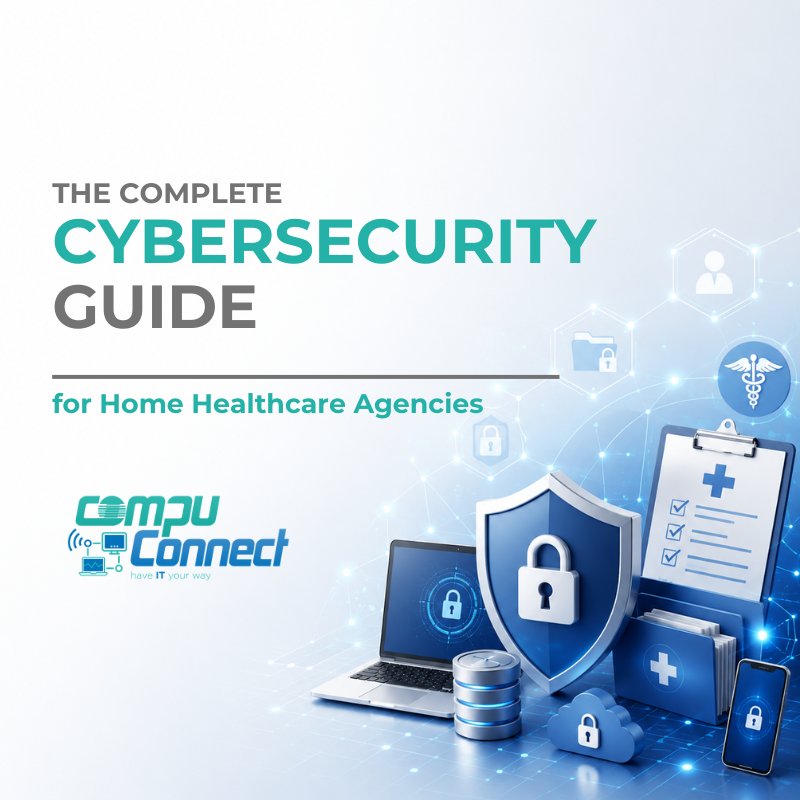
This guide explains the most common cybersecurity risks facing home healthcare agencies, how to reduce those risks, and how a proactive managed IT and cybersecurity partner can help create a more secure, stable, and resilient technology foundation.
At CompuConnect, we help home healthcare agencies strengthen their office technology, cybersecurity, compliance readiness, and business continuity with proactive managed IT services and 100% live human support.
Why Cybersecurity Matters for Home Healthcare Agencies
Many agency owners and administrators assume cybercriminals mainly target hospitals, large health systems, or national healthcare organizations.
In reality, small and mid-sized home healthcare agencies are often attractive targets because they manage valuable information while operating with lean administrative teams, remote staff, cloud systems, mobile devices, and multiple vendors.
A single compromised email account, stolen password, or infected computer can disrupt daily operations.
For a home healthcare agency, a cybersecurity incident may affect:
- Scheduling and caregiver coordination
- Payroll processing
- Billing and claims workflows
- Referral communication
- Email access
- Shared files and internal documents
- Administrative productivity
- Compliance readiness
- Business reputation
- Confidence from referral partners and employees
Cybersecurity is no longer just an IT concern. It is a business continuity concern.
When technology is unstable or exposed, the entire agency feels the impact.
What Information Does a Home Healthcare Agency Need to Protect?
Home healthcare agencies manage more than patient records. Their office systems often contain business, financial, employee, operational, and healthcare-related information that must be handled carefully.
This may include:
- Protected Health Information
- Employee records
- Payroll information
- Banking details
- Insurance documentation
- Referral information
- Billing records
- Medicare and Medicaid documentation
- Vendor contracts
- Business financial records
- Email communications
- Internal documents
- Administrative reports
- Usernames, passwords, and access credentials
Each system that stores or transmits this information creates potential risk if it is not properly secured.
That is why cybersecurity should be built into the agency's daily operations, not treated as a one-time project.
The Most Common Cybersecurity Threats Facing Home Healthcare Agencies
1. Phishing Emails
Phishing remains one of the most common ways attackers gain access to business systems.
Employees may receive emails that look legitimate but are designed to steal usernames, passwords, financial information, or access to Microsoft 365 accounts.
Common warning signs include:
- Unexpected attachments
- Urgent requests
- Password reset messages
- Invoice requests
- Banking change instructions
- Gift card requests
- Fake Microsoft 365 login pages
- Messages that appear to come from owners, administrators, vendors, or payroll contacts
Phishing is effective because it targets people, not just technology. Even a well-trained employee can make a mistake during a busy workday.
That is why agencies need both strong security tools and regular employee awareness training.
2. Business Email Compromise
Business Email Compromise is a targeted email scam that relies on trust.
Instead of sending obvious spam, attackers impersonate people your team already knows or expects to hear from.
They may pretend to be:
- Agency owners
- Administrators
- Finance staff
- Payroll providers
- Vendors
- Banks
- Referral partners
The goal is usually to trick someone into sending money, changing payment information, sharing credentials, or approving a fraudulent request.
Business Email Compromise can be especially dangerous because the emails often look simple and realistic. They may not include suspicious links or attachments, which means traditional security tools may not always stop them.
A strong cybersecurity plan should include email protection, multi-factor authentication, employee training, and clear internal approval procedures for financial requests.
3. Ransomware
Ransomware is a type of cyberattack that locks or encrypts business data and demands payment before access is restored.
For a home healthcare agency, ransomware can cause serious operational disruption.
It may prevent the office team from accessing:
- Scheduling platforms
- Billing software
- Shared files
- Payroll systems
- Documentation
- Business applications
- Administrative records
Without proper preparation, recovery can take days or even weeks.
Reliable backups, endpoint protection, security monitoring, patch management, and an incident response plan can significantly improve recovery readiness.
The goal is not only to reduce the chance of ransomware. The goal is to make sure the agency can recover quickly and continue operating if an incident occurs.
4. Weak or Reused Passwords
Weak passwords remain one of the easiest ways attackers gain access to business systems.
Many employees reuse passwords across personal and business accounts. If one unrelated website is breached, that same password may be tested against business email, Microsoft 365, banking portals, or other systems.
Home healthcare agencies should use:
- Strong password policies
- Unique passwords for every system
- Password managers when appropriate
- Multi-factor authentication
- Login monitoring
- Clear offboarding procedures when employees leave
Passwords alone are no longer enough to protect business systems.
5. Unpatched Computers and Software
Outdated computers, servers, applications, and operating systems may contain known security weaknesses.
Attackers often look for these weaknesses because they are already documented and easier to exploit.
Patch management helps close these gaps by keeping systems current.
A proactive IT strategy should include:
- Regular software updates
- Operating system patching
- Firmware updates when needed
- Application updates
- Monitoring for failed updates
- Replacement planning for outdated devices
Patching is not just technical maintenance. It is a core part of business cybersecurity.
6. Mobile Device Risk
Many home healthcare office teams and employees access email, scheduling systems, documents, and business applications from smartphones, tablets, or laptops.
Without proper controls, a lost or stolen device may expose sensitive information or allow unauthorized access.
Agencies should consider:
- Device encryption
- Screen lock requirements
- Remote wipe capabilities
- Mobile device management
- Conditional access policies
- Restrictions on unmanaged devices
- Secure access to email and cloud applications
Mobile flexibility is important, but it should not come at the expense of security.
7. Human Error and Insider Mistakes
Most cybersecurity incidents are not caused by malicious insiders. They often begin with ordinary human mistakes.
Examples include:
- Clicking a malicious link
- Sending sensitive information to the wrong recipient
- Reusing passwords
- Downloading unauthorized software
- Ignoring security alerts
- Sharing passwords
- Approving a fraudulent request
- Using personal devices without proper safeguards
This is why employee training is one of the most valuable cybersecurity investments an agency can make.
A security-aware team becomes part of the agency's protection strategy.
Essential Cybersecurity Best Practices for Home Healthcare Agencies
Enable Multi-Factor Authentication
Multi-factor authentication adds a second layer of verification before a user can access an account.
Even if a password is stolen, multi-factor authentication can help prevent unauthorized access.
It should be enabled for:
- Microsoft 365
- Remote access
- Payroll systems
- Billing platforms
- Administrative applications
- Vendor portals
- Financial systems
For many agencies, multi-factor authentication is one of the most practical and effective cybersecurity improvements they can make.
Secure Microsoft 365
Microsoft 365 is central to daily operations for many home healthcare agencies. It supports email, document sharing, collaboration, file storage, calendars, and communication.
However, Microsoft 365 must be properly configured and monitored.
Important security areas include:
- Multi-factor authentication
- Conditional Access policies
- Anti-phishing protection
- Safe Links
- Safe Attachments
- Login alerts
- Data loss prevention settings
- User access reviews
- Email forwarding controls
- Admin account protection
- Shared mailbox management
- Account monitoring
Microsoft 365 includes strong security capabilities, but those tools must be configured correctly and reviewed regularly.
A default setup is rarely enough for a healthcare-related business environment.
Protect Every Endpoint
An endpoint is any device that connects to your business systems. This may include desktops, laptops, servers, tablets, and mobile devices.
Every endpoint should be protected with:
- Endpoint Detection and Response
- Antivirus protection
- Real-time monitoring
- Automated updates
- Device encryption
- Security policy enforcement
- Remote management
- Asset tracking
Endpoint protection helps detect suspicious behavior, stop known threats, and reduce the chance that one compromised device can affect the entire organization.
Maintain Reliable and Tested Backups
Backups are essential for ransomware recovery, accidental deletion, hardware failure, and business continuity.
But backups only matter if they can actually be restored.
A strong backup strategy should be:
- Automated
- Encrypted
- Monitored
- Tested regularly
- Stored separately from production systems
- Protected from ransomware
- Aligned with recovery goals
Agencies should know how long it would take to restore critical systems and how much data could be lost in a disruption.
Backup planning should be part of a larger business continuity and disaster recovery strategy.
Train Employees Throughout the Year
Technology alone cannot stop every cyberattack.
Employees should be trained to recognize:
- Phishing emails
- Fake login pages
- Business Email Compromise
- Social engineering
- Suspicious phone calls
- Unusual financial requests
- Unsafe attachments
- Password risks
Training should not be a once-a-year checkbox. Regular reminders, short lessons, and simulated phishing exercises help keep cybersecurity top of mind.
A well-trained team is less likely to make costly mistakes.
Monitor Systems Continuously
Cybersecurity is not something you configure once and forget.
Threats change, users change, devices change, vendors change, and business needs change.
Continuous monitoring helps identify unusual activity before it becomes a major incident.
Monitoring may include:
- Failed login attempts
- Suspicious sign-ins
- Unusual email forwarding rules
- Endpoint alerts
- Backup failures
- Device health issues
- Patch status
- Security policy violations
- Network activity
Proactive monitoring allows agencies to respond earlier and reduce disruption.
HIPAA and Cybersecurity for Home Healthcare Agencies
Cybersecurity and HIPAA are not the same thing, but they are closely connected.
Home healthcare agencies that handle Protected Health Information need administrative office technology that supports appropriate safeguards.
Technology can help support:
- Access controls
- User authentication
- Encryption where appropriate
- Audit logging
- Device security
- Secure data handling
- Employee training
- Backup and disaster recovery
- Business continuity planning
- Vendor access management
Cybersecurity does not replace legal or compliance guidance, but it plays an important role in supporting the agency's overall compliance efforts.
The right IT strategy should make secure operations easier for your administrative team, not more complicated.
Cyber Insurance Requirements Are Becoming More Demanding
Many cyber insurance providers now expect organizations to demonstrate that basic cybersecurity protections are in place.
Common cyber insurance requirements may include:
- Multi-factor authentication
- Security awareness training
- Endpoint protection
- Email security
- Backup and disaster recovery
- Patch management
- Access controls
- Incident response planning
- Vendor risk awareness
- Administrative account protection
Meeting these expectations can help strengthen your security posture and may support cyber insurance eligibility.
Agencies should review cybersecurity requirements before renewal, not after an application is delayed or denied.
A proactive managed IT provider can help document security controls, identify gaps, and create a practical improvement roadmap.
Why Business Continuity Matters
Cybersecurity is not only about preventing attacks. It is also about preparing for disruption.
Home healthcare agencies should plan for events such as:
- Hardware failure
- Internet outages
- Power interruptions
- Natural disasters
- Human error
- Software failures
- Vendor outages
- Cybersecurity incidents
Business continuity planning helps the agency continue operating when something unexpected happens.
A strong plan should answer practical questions:
- How will the office communicate if email is unavailable?
- How will scheduling continue during an outage?
- Which systems must be restored first?
- Who is responsible for each step?
- How quickly can critical data be recovered?
- Are backups tested?
- Are vendors documented?
- Is there an incident response process?
The goal is simple: reduce confusion, protect productivity, and help the agency recover faster.
Warning Signs Your Agency May Be at Risk
Your home healthcare agency may need a cybersecurity review if you are unsure about any of the following:
- Employees share passwords
- Multi-factor authentication is not enabled for every user
- Backups are not tested regularly
- Microsoft 365 has not been professionally reviewed
- Software updates are inconsistent
- Employees do not receive cybersecurity awareness training
- Mobile devices are unmanaged
- There is no documented incident response plan
- No one is actively monitoring security alerts
- Former employees may still have access
- Administrative accounts are not tightly controlled
- Cyber insurance requirements are unclear
- There is no business continuity plan
Uncertainty is often the first sign that a cybersecurity strategy needs attention.
A professional assessment can help identify gaps and prioritize improvements based on business risk.
Home Healthcare Agency Cybersecurity Checklist
Use this checklist to evaluate your agency's readiness:
✓ Multi-factor authentication is enabled
✓ Microsoft 365 is secured and monitored
✓ Endpoint Detection and Response is installed
✓ Automated patch management is active
✓ Backups are encrypted, monitored, and tested
✓ Email security policies are configured
✓ Cybersecurity awareness training is ongoing
✓ Mobile devices are managed
✓ Strong password policies are enforced
✓ Former employee access is removed promptly
✓ Administrative accounts are protected
✓ Business continuity plan is documented
✓ Disaster recovery plan is tested
✓ Cyber insurance requirements are reviewed
✓ Professional IT monitoring is in place
✓ Incident response procedures are documented
This checklist does not replace a full cybersecurity assessment, but it can help agency leaders understand where to start.
How a Proactive Managed IT Partner Helps Home Healthcare Agencies
Home healthcare agencies need technology that supports daily operations, protects sensitive information, and helps leadership plan with confidence.
A proactive managed IT and cybersecurity partner can help by:
- Securing Microsoft 365
- Managing employee access
- Monitoring devices and systems
- Supporting compliance readiness
- Protecting endpoints
- Managing backups
- Strengthening email security
- Providing cybersecurity training
- Supporting cyber insurance requirements
- Creating business continuity plans
- Standardizing technology processes
- Reducing recurring IT problems
- Helping leadership budget with predictable costs
The right IT partner should not simply wait for things to break.
Your agency needs a strategic guide that understands your business operations, supports your administrative team, and helps your organization stay secure, productive, and prepared for growth.
Why Home Healthcare Agencies Choose CompuConnect
CompuConnect helps home healthcare agencies throughout Brooklyn, Manhattan, New York City, New Jersey, South Jersey, and the Tri-State Area build secure, reliable, and proactive technology environments.
Our work focuses on the office, administrative, and operational side of home healthcare agencies, including scheduling teams, billing departments, payroll workflows, administrators, owners, and leadership teams.
We help agencies strengthen their technology foundation through:
- Proactive managed IT services
- Business cybersecurity
- Microsoft 365 security
- Backup and disaster recovery
- Endpoint protection
- Network monitoring
- Predictable flat-rate IT support
- Business continuity planning
- Strategic IT guidance
- 100% live human support
With CompuConnect, your team reaches real people who understand your business, respond with care, and provide accountable support. No impersonal runaround. No relying only on automated ticket systems. Just responsive, human-centered IT support backed by proactive strategy and cybersecurity expertise.
Frequently Asked Questions About Cybersecurity for Home Healthcare Agencies
What is the biggest cybersecurity threat to home healthcare agencies?
Phishing and Business Email Compromise are among the most common threats because they target employees through email and rely on deception. A single compromised account can create financial, operational, and compliance concerns.
Why are home healthcare agencies targeted by cybercriminals?
Home healthcare agencies manage valuable business, financial, employee, and healthcare-related information. They also often rely on remote access, mobile devices, cloud systems, Microsoft 365, and third-party vendors, which can create additional risk if not properly secured.
Does Microsoft 365 automatically protect our agency?
Microsoft 365 includes strong security features, but many protections require proper configuration, monitoring, and ongoing management. Agencies should not assume that the default setup provides the level of protection their business needs.
How often should employees receive cybersecurity training?
Most agencies benefit from ongoing cybersecurity awareness training throughout the year. Short, regular training supported by reminders and simulated phishing exercises can help employees recognize suspicious activity before it becomes a larger issue.
Do backups protect against ransomware?
Backups are an essential part of ransomware recovery, but they must be secure, monitored, and tested. Backups should be combined with preventive cybersecurity measures such as endpoint protection, multi-factor authentication, patch management, email security, and employee training.
What should a home healthcare agency include in a cybersecurity plan?
A cybersecurity plan should include multi-factor authentication, Microsoft 365 security, endpoint protection, patch management, email security, employee training, tested backups, mobile device controls, incident response planning, and business continuity planning.
Strengthen Your Agency's Cybersecurity Before There Is a Problem
Cybersecurity is no longer optional for home healthcare agencies.
Your administrative team depends on technology to coordinate caregivers, communicate with employees, manage referrals, process payroll, support billing, and protect sensitive information. When technology is compromised, the impact reaches far beyond the IT department.
A stronger cybersecurity strategy helps your agency reduce risk, improve stability, support compliance efforts, protect productivity, and prepare for unexpected disruption.
CompuConnect helps home healthcare agencies build secure, reliable technology environments that support business operations instead of slowing them down. With proactive managed IT services, cybersecurity solutions, backup and disaster recovery, predictable flat-rate pricing, and 100% live human support, your agency can move forward with greater confidence.
Ready to Strengthen Your Agency's Cybersecurity?
Schedule a free discovery call with CompuConnect.
We will review your current technology environment, identify potential security gaps, discuss practical recommendations, and help you build a stronger foundation for cybersecurity, business continuity, and long-term growth.
Download the Complete Cybersecurity Guide
Get the full PDF version of this guide to share with your team or reference offline.
About the Author
 Yiddy Lemmer is the Founder and CEO of CompuConnect IT, a leading IT support and cybersecurity firm serving small and midsize businesses across New York and New Jersey. With over 18 years of hands-on experience, multiple Microsoft and CompTIA certifications, and deep roots in Brooklyn, Yiddy leads with a passion for technology, service excellence, and helping businesses thrive through secure and efficient IT systems.