


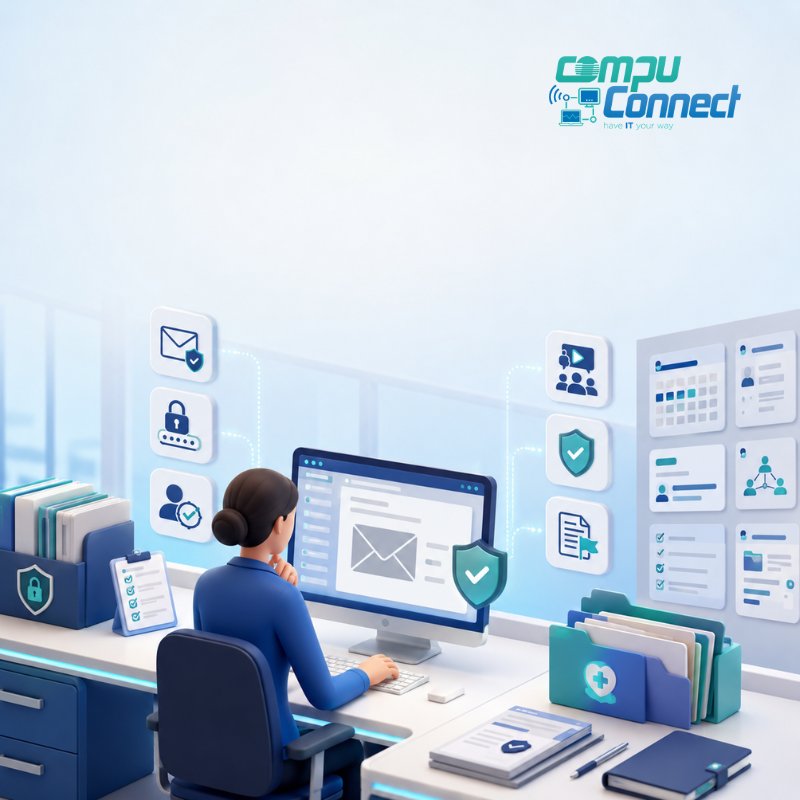
Cybersecurity training helps home healthcare agency office staff recognize suspicious activity, protect sensitive information, and report potential incidents before they disrupt the business.
For home healthcare agency leaders, training should not be limited to a once-a-year compliance presentation. It should be practical, role-specific, and reinforced throughout the year. Employees need clear guidance on phishing, password security, protected health information, payment fraud, remote work, and incident reporting.
The strongest programs combine employee education with secure systems, multi-factor authentication, tested backups, documented procedures, and responsive technology support.
This matters because office employees often manage scheduling, payroll, billing, employee records, referral communications, and patient information. One mistaken click or improperly shared document can create operational delays, expose protected data, and place the agency’s reputation at risk.
Cybersecurity is not simply an IT responsibility. It is part of business continuity, compliance, financial protection, and dependable daily operations.
Why Home Healthcare Agencies Face Cybersecurity Risk
Home healthcare agencies operate in a highly connected environment.
Office teams regularly communicate with caregivers, patients, families, referral partners, insurers, physicians, pharmacies, payroll providers, and software vendors. Employees may also access agency systems from different offices, home networks, laptops, and mobile devices.
Every connection creates another opportunity for credentials or sensitive information to be exposed.
Common risks include:
- Weak or reused passwords
- Phishing emails and fraudulent text messages
- Unsecured email communication
- Excessive user permissions
- Delayed software updates
- Improper handling of protected health information
- Personal or unmanaged devices
- Slow reporting of suspicious activity
- Third-party vendor vulnerabilities
- Inconsistent employee onboarding and offboarding
Smaller agencies may face additional challenges because they often do not have a dedicated internal cybersecurity team. Attackers know this and frequently rely on convincing emails, phone calls, and urgent requests rather than sophisticated technical methods.
A proactive cybersecurity strategy helps close these gaps before they interrupt operations.
Why Office Staff Cybersecurity Training Matters
Technology can filter malicious emails, protect devices, and monitor unusual activity. It cannot eliminate every employee mistake.
Office employees may have access to:
- Scheduling and intake systems
- Electronic health record platforms
- Payroll and billing portals
- Employee records
- Patient contact information
- Shared drives and cloud applications
- Business email accounts
- Vendor payment information
That access makes employees an essential part of the agency’s cybersecurity protection.
Effective training helps staff recognize unusual activity, verify sensitive requests, handle information correctly, and report mistakes quickly.
A strong cybersecurity awareness program can help an agency:
- Reduce phishing and credential theft
- Protect patient and employee information
- Support HIPAA privacy and security practices
- Prevent avoidable operational disruptions
- Improve incident reporting
- Strengthen employee accountability
- Protect financial processes
- Build trust with staff and referral partners
- Support business continuity
Training should be ongoing. Cyber threats change, agency systems evolve, and employees can forget procedures that are not regularly reinforced.
Seven Cybersecurity Topics Every Office Employee Should Understand
1. How to Recognize Phishing Emails
Phishing remains one of the most common ways attackers gain access to business systems.
A fraudulent message may appear to come from an agency owner, administrator, vendor, insurer, payroll provider, software company, or bank. The message may ask the employee to click a link, open an attachment, provide credentials, or complete an urgent financial request.
Employees should watch for:
- Unexpected password-reset messages
- Urgent requests for payments or information
- Misspelled email addresses
- Slightly altered domain names
- Unfamiliar links or attachments
- Requests to bypass normal procedures
- Messages asking for login credentials
- Unexpected changes to banking instructions
- Unusual requests from executives or vendors
Staff should verify suspicious requests through a trusted channel.
For example, an employee who receives an unexpected request to change payment information should call the known contact using a verified phone number. They should not reply directly to the suspicious message.
Employees must also know exactly how to report a suspected phishing attempt without clicking links or forwarding potentially dangerous attachments.
2. Strong Password and Authentication Practices
Weak or reused passwords make it easier for attackers to access agency systems.
Employees should use long, unique passwords or passphrases for every business account. They should never reuse agency passwords on personal websites.
Office staff should also avoid:
- Sharing passwords through email or text
- Writing passwords where others can see them
- Saving credentials in unapproved documents
- Using the same password across several systems
- Approving unexpected login notifications
- Sharing verification codes with callers
A business-approved password manager can help employees create and securely store unique credentials.
Agency leaders should also require multi-factor authentication wherever possible. Multi-factor authentication adds a second verification step, making it harder for an attacker to gain access with a stolen password alone.
3. Proper Handling of Protected Health Information
Home healthcare office staff regularly work with protected health information, also known as PHI.
Employees must understand how to access, send, store, print, discuss, and dispose of sensitive information appropriately.
Training should cover:
- Confirming recipients before sending information
- Using agency-approved communication platforms
- Avoiding unnecessary patient details in messages
- Locking screens before leaving a workstation
- Storing printed documents securely
- Preventing confidential conversations from being overheard
- Disposing of records through approved methods
- Reporting information sent to the wrong recipient
- Accessing only the information required for the employee’s role
Employees should never view a patient record out of curiosity or convenience. Access should always be connected to an authorized business responsibility.
4. Business Email Compromise and Payment Fraud
Business email compromise occurs when an attacker impersonates a trusted person or takes control of a legitimate email account.
The attacker may request:
- A change to direct-deposit information
- Updated vendor banking details
- A wire transfer
- Employee tax information
- Patient records
- Password resets
- Changes to user permissions
- Gift card purchases
Cybersecurity training should teach employees to follow written verification procedures before making sensitive administrative or financial changes.
No employee should feel pressured to bypass approval processes simply because an email appears urgent or seems to come from a senior leader.
Written procedures protect both the agency and the employee.
5. Ransomware Warning Signs
Ransomware can encrypt files, disable applications, and interrupt access to essential information.
It may enter the organization through:
- A malicious attachment
- A stolen password
- An unpatched device
- A compromised website
- An unmanaged remote computer
- A third-party vendor
Possible warning signs include:
- Files that suddenly will not open
- Missing or renamed files
- Unexpected password changes
- Unusual system slowness
- Repeated login failures
- Applications opening or closing unexpectedly
- Pop-up ransom messages
- Employees losing access to shared systems
Staff should not attempt to investigate a suspected ransomware incident on their own.
They should follow the agency’s incident-response procedure and contact the designated technology or security team immediately. Fast reporting can help limit the scope of the disruption.
6. Remote Work and Mobile Device Security
Remote work can increase cybersecurity risk when employees use home networks, shared computers, personal cloud storage, or unmanaged devices.
Training should explain how employees can work securely outside the office.
Important practices include:
- Using agency-approved devices
- Connecting through trusted networks
- Avoiding public Wi-Fi for sensitive work
- Using an approved virtual private network when required
- Preventing family members from using work devices
- Keeping laptops and phones physically secure
- Installing approved updates promptly
- Reporting lost or stolen equipment immediately
- Avoiding personal email and storage accounts for agency information
Employees should not download patient, payroll, or employee information to personal devices unless the agency has specifically approved the device and process.
7. Social Engineering by Phone and Text
Not every cyberattack begins with an email.
Criminals may call or text office employees while pretending to be:
- Agency executives
- Patients or family members
- Software technicians
- Insurance representatives
- Payroll providers
- Government agencies
- Banks or vendors
They may ask the employee to reveal a password, share a verification code, reset another user’s account, install remote-access software, transfer money, or provide protected information.
Employees should understand that legitimate technology professionals should not ask them to reveal passwords.
Unexpected requests should always be verified before action is taken.
What an Effective Cybersecurity Training Program Should Include
A useful training program should reflect the employee’s actual responsibilities.
Generic annual videos may document attendance, but they often do little to improve decision-making. Employees need examples that resemble situations they may face during a normal workday.
New-Hire Cybersecurity Training
Every new office employee should receive cybersecurity and privacy training before being granted broad access to agency systems.
New-hire training should explain:
- Acceptable technology use
- Password requirements
- Multi-factor authentication
- Email and phishing security
- Patient-information handling
- Remote-work expectations
- Incident-reporting procedures
- Device and software restrictions
- Consequences of policy violations
Employees should acknowledge that they understand the policies and know where to find them.
Access should also be based on job responsibilities rather than convenience.
Recurring Staff Education
Cybersecurity should be reinforced throughout the year.
Short, focused reminders are often easier to remember than a long annual presentation.
Recurring education may include:
- Monthly security reminders
- Short training videos
- Team meeting discussions
- Phishing simulations
- Policy refreshers
- Incident-response exercises
- Alerts about emerging scams
- Quick guidance after system changes
Training should be updated when the agency introduces new software, changes a workflow, identifies repeated mistakes, or experiences a security incident.
Role-Based Training
Different employees face different risks.
A scheduler may need detailed guidance on sharing patient information. A payroll employee may need additional training on direct-deposit fraud. An administrator may need to understand vendor access, approval procedures, and incident escalation.
Training should be tailored for:
- Human resources
- Billing and payroll
- Intake and scheduling
- Compliance teams
- Administrators
- Supervisors
- Executives
- Internal technology staff
Executives must participate too. Attackers frequently use the authority of senior leaders to pressure employees into bypassing established procedures.
Practical Exercises
Employees should practice responding to realistic situations.
Useful exercises may include:
- A fake password-expiration email
- A request to change an employee’s banking information
- A patient document sent to the wrong recipient
- A lost laptop or mobile phone
- An unexpected multi-factor authentication prompt
- A suspicious call from someone claiming to provide technical support
- An urgent request from an executive using an unfamiliar email address
These exercises help employees turn written policies into practical habits.
How Often Should Cybersecurity Training Be Conducted?
Cybersecurity training should begin during onboarding and continue throughout employment.
Annual training may be part of the program, but it should not be the entire program.
A practical schedule may include:
- Cybersecurity training during onboarding
- Formal refresher training at least once a year
- Brief awareness activities throughout the year
- Additional training after system or policy changes
- Targeted coaching following risky behavior
- Updated guidance after new threats are identified
- Immediate education following a relevant incident
The appropriate frequency depends on the agency’s size, systems, workforce, risk assessment, and compliance obligations.
The key is consistency. Employees are more likely to recognize and report threats when cybersecurity remains part of regular business conversations.
Building a Cybersecurity-Aware Office Culture
Employees are more likely to report mistakes when leaders respond constructively.
A highly punitive culture can cause employees to hide a suspicious click, misplaced device, or incorrectly sent document. That delay may give an attacker more time to steal information or spread malicious software.
Leaders should make it clear that immediate reporting is always the safest response.
For example, an employee who clicks a suspicious link should contact the designated support team immediately. A fast response may allow the agency to reset credentials, review login activity, isolate a device, or block further access.
Agency leaders can strengthen cybersecurity culture by:
- Following the same rules as employees
- Discussing cybersecurity during leadership meetings
- Providing an easy reporting process
- Recognizing employees who report suspicious activity
- Avoiding blame when honest mistakes are reported promptly
- Testing incident-response procedures
- Reviewing access permissions regularly
- Holding vendors accountable for security expectations
Cybersecurity should become part of everyday operations rather than an isolated compliance activity.
How to Measure Whether Training Is Working
Training completion records show that employees attended a session. They do not prove that behavior has improved.
Agency leaders should evaluate results using practical measures such as:
- Phishing simulation reporting rates
- Time required to report suspicious activity
- Repeated policy violations
- Unsecured information-sharing incidents
- Multi-factor authentication adoption
- Password-reset patterns
- Training assessment results
- Incident trends by department
- Employee confidence in reporting procedures
The purpose of measurement is not to embarrass employees who make mistakes.
It is to identify where additional education, clearer procedures, or stronger technical safeguards are needed.
Questions Leaders Should Ask Their IT and Compliance Teams
Home healthcare agency leaders do not need to become cybersecurity specialists. They should, however, understand how the organization protects its information and responds when something goes wrong.
Ask:
- Which systems contain patient, employee, payroll, and billing information?
- Who has access to each system?
- Is multi-factor authentication enabled?
- How quickly is access removed when an employee leaves?
- Are software updates installed promptly?
- Are backups protected, monitored, and tested?
- How should employees report suspicious activity?
- Who leads the response to a cybersecurity incident?
- Which vendors can access agency information?
- When was the incident-response plan last tested?
- How is training effectiveness measured?
- What happens when information is sent to the wrong recipient?
- Who can employees call when they need immediate help?
The answers should be documented, reviewed regularly, and understood by the leadership team.
Cybersecurity Training Mistakes Agencies Should Avoid
Treating Training as a Checkbox
A generic presentation viewed once a year is unlikely to change employee behavior.
Training should be practical, relevant, and reinforced regularly.
Using Too Much Technical Language
Employees need simple instructions.
Training should explain what the threat looks like, why it matters, and what the employee should do next.
Focusing Only on Email
Cyber threats can arrive through email, phone calls, text messages, websites, mobile applications, removable drives, and in-person interactions.
Training should reflect the full range of risks.
Excluding Executives
Senior leaders are attractive targets because attackers can use their names and authority to manipulate employees.
Executives should participate in training and follow the same procedures as everyone else.
Blaming Employees for Promptly Reported Mistakes
Employees who fear punishment may delay reporting.
Leaders should encourage immediate disclosure while maintaining clear accountability for intentional or repeated policy violations.
Failing to Update Training
Training must evolve as technology, agency workflows, regulations, and attack methods change.
Cybersecurity Training Checklist for Home Healthcare Agency Leaders
Use this checklist to evaluate your current program:
- Cybersecurity training is included in onboarding.
- Staff receive recurring security reminders.
- Training covers phishing, passwords, PHI, ransomware, payment fraud, and remote work.
- Multi-factor authentication protects critical systems.
- Employees know exactly how to report suspicious activity.
- Reporting procedures are easy to find.
- Staff participate in realistic exercises.
- Training is tailored by role.
- Executives participate in cybersecurity education.
- Departing employees lose access promptly.
- Vendor access is reviewed and controlled.
- Incident-response procedures are documented.
- Backups are monitored and tested.
- Training results are measured.
- Policies are reviewed regularly.
- Employees can reach live technology support when they need help.
Every unchecked item is an opportunity to improve security, stability, and business continuity.
The Bottom Line
Cybersecurity training for home healthcare office staff is a practical part of protecting sensitive information, maintaining operations, and supporting the agency’s reputation.
The most effective programs go beyond annual compliance training. They prepare employees to recognize realistic threats, verify unusual requests, protect information, and report concerns immediately.
Training works best when it is supported by strong access controls, multi-factor authentication, secure communication tools, tested backups, vendor oversight, and a documented incident-response plan.
Employees also need to know that help is available when something feels wrong.
CompuConnect helps home healthcare agencies build a more stable and secure technology environment through proactive managed IT services, business cybersecurity, strategic planning, and 100% live human support. Your staff can reach a real person who understands your organization and can respond quickly when a suspicious email, access problem, or security concern occurs.
Frequently Asked Questions
Is cybersecurity training required for home healthcare employees?
Healthcare organizations generally need appropriate privacy and security training based on employee roles, agency policies, applicable requirements, and the types of information staff handle.
Agency leaders should consult qualified legal or compliance professionals regarding their specific obligations.
Should temporary and contract office staff receive cybersecurity training?
Yes. Anyone with access to agency systems, email, devices, patient information, payroll data, or employee records should receive appropriate training before access is granted.
Access should also be removed promptly when the engagement ends.
What is the most important cybersecurity topic for office staff?
Phishing awareness is especially important because attackers frequently use deceptive messages to steal passwords, redirect payments, or deliver malicious software.
Training should also cover password security, protected health information, social engineering, remote work, multi-factor authentication, and incident reporting.
What should an employee do after clicking a suspicious link?
The employee should stop interacting with the message and immediately follow the agency’s incident-reporting procedure.
Rapid reporting allows the technology or security team to review the activity, reset credentials, isolate affected devices, and take other protective steps.
Employees should not wait to see whether something unusual happens.
Can cybersecurity training prevent every data breach?
No training program can eliminate every risk.
Practical and recurring training can reduce preventable mistakes, improve threat detection, and help the agency respond more quickly when an incident occurs.
Why is live IT support important during a cybersecurity incident?
Employees may hesitate or lose valuable time when they do not know who to contact.
Access to live human support gives staff a clear place to report suspicious activity, ask questions, and receive guidance quickly. A fast response can help reduce disruption and prevent a small issue from becoming a larger operational problem.
Strengthen Your Agency’s Cybersecurity Plan
Do your employees know how to recognize a threat, report a mistake, and get immediate support?
CompuConnect can help your leadership team assess cybersecurity risks, improve employee safeguards, strengthen business continuity, and create a clear technology plan for your office operations.
Schedule a cybersecurity and IT planning conversation with CompuConnect to identify practical next steps for a more secure, stable, and productive agency.