

By Yiddy Lemmer, CEO – CompuConnect, Inc.
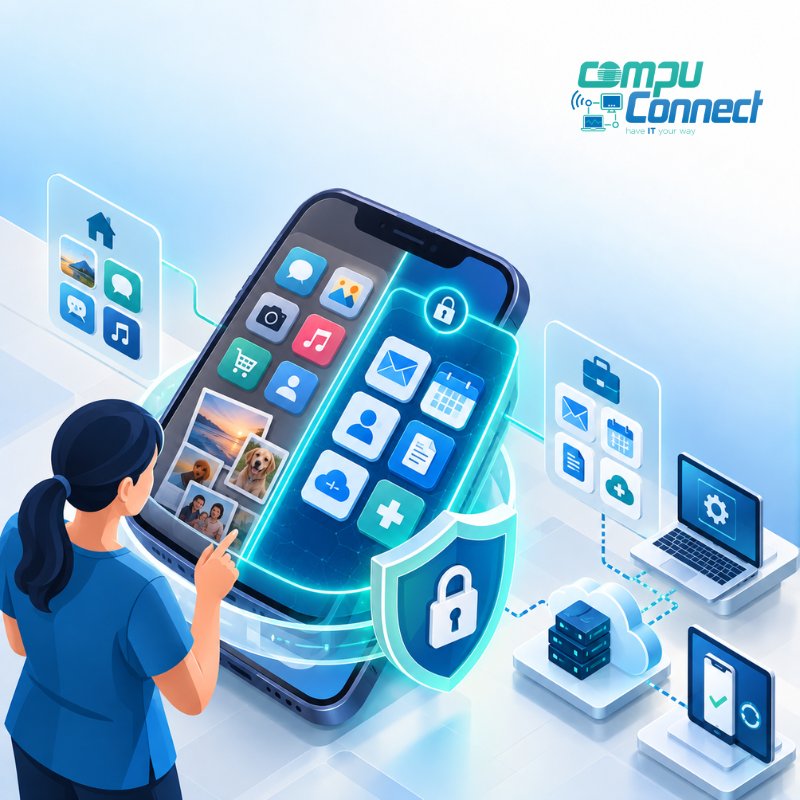
Home healthcare agencies should secure caregivers’ phones and tablets by controlling how those devices access company systems and information. A strong mobile security strategy should include multi-factor authentication, mobile device management, encryption, automatic screen locks, secure business applications, access controls, remote wipe capabilities, regular software updates, and a clear bring-your-own-device policy.
The goal is not simply to protect the phone itself. It is to protect the agency’s email, documents, scheduling platforms, payroll systems, Microsoft 365 environment, and other sensitive business information that employees may access from a mobile device.
For agencies that allow caregivers or other employees to use personal phones and tablets for work, security becomes especially important. NIST notes that bring-your-own-device, or BYOD, environments create additional cybersecurity and privacy challenges because organizational information is being accessed from devices the business may not fully own or control.
A practical mobile security plan gives employees the flexibility they need while helping agency leadership maintain control over company information.
Why Do Home Healthcare Agencies Need to Secure Mobile Devices?
Phones and tablets have become part of everyday business operations.
Employees may use them to:
- Access company email
- View schedules
- Communicate with office staff
- Sign into Microsoft 365 or Google Workspace
- Access payroll or HR systems
- Review company documents
- Use agency-specific applications
- Authenticate into business systems
That convenience also creates another pathway into the agency’s technology environment.
A lost phone, weak password, compromised email account, outdated operating system, or malicious application can expose company information without anyone ever gaining physical access to the office.
This is why mobile security should be treated as part of an agency’s broader cybersecurity and managed IT strategy, rather than as an isolated phone setting.
What Is the Best Way to Secure Caregivers’ Phones and Tablets?
For most home healthcare agencies, the best approach is to create a defined mobile-device security standard and enforce it through technology whenever possible.
That usually means combining identity security, mobile device management, application controls, employee policies, and ongoing monitoring.
Here are the most important controls.
1. Require Multi-Factor Authentication
A password should not be the only thing protecting an employee’s account.
Multi-factor authentication, or MFA, requires an additional verification method before someone can successfully sign in.
For example, an employee might enter a password and then approve the login through an authenticator application.
MFA is especially important for mobile access because employees regularly sign in outside the office and from networks the agency does not manage.
If a password is stolen through phishing or another attack, MFA can provide another barrier between the attacker and the agency’s systems.
For agencies using Microsoft 365 or other cloud platforms, MFA should be combined with appropriate identity and access policies rather than treated as a standalone security measure.
2. Use Mobile Device Management
Mobile device management, commonly called MDM, allows an agency to establish security requirements for phones and tablets that access business information.
Depending on the platform and configuration, an MDM solution can help require:
- Device encryption
- Screen locks or PINs
- Supported operating-system versions
- Security updates
- Approved applications
- Restrictions on certain device settings
- Removal of company information from lost or retired devices
NIST recommends centralized management as an important component of enterprise mobile-device security and addresses both company-owned and personally owned devices in its mobile security guidance.
For Microsoft 365 environments, agencies may use Microsoft Intune and related identity controls to manage how supported mobile devices connect to company resources.
3. Separate Business Data From Personal Data
This is particularly important when caregivers are using their own phones.
An agency does not necessarily need unrestricted control over an employee’s personal device simply because that employee checks company email.
Instead, modern mobile-management platforms can help establish boundaries between work information and personal information.
For example, policies may restrict employees from copying information from a managed business application into an unmanaged personal application.
An agency may also be able to remove corporate information without erasing the employee’s personal photographs, messages, and applications.
This balance matters because BYOD introduces privacy considerations for employees as well as cybersecurity considerations for the business. NIST specifically identifies both security and privacy challenges associated with personally owned devices used for work.
4. Require Device Encryption and Screen Locks
Every device used to access agency information should have basic local protections enabled.
At minimum, agencies should require supported devices to use:
- Device encryption
- A PIN, password, biometric login, or other approved lock
- Automatic screen locking
- Current operating-system and security updates
These controls help reduce the risk that someone can immediately access company information if a device is misplaced or stolen.
They are simple measures, but they form an important part of a layered security strategy.
5. Keep Phones and Tablets Updated
Older operating systems can contain security vulnerabilities that have already been corrected in newer versions.
Agencies should establish a minimum supported operating-system standard and prevent significantly outdated or unsupported devices from accessing company resources.
This is another area where centralized mobile management can help.
Instead of relying on every employee to remember to update a device, the agency can establish compliance policies and identify devices that no longer meet its security requirements.
NIST's mobile-device guidance recommends considering security throughout the entire device lifecycle, including deployment, use, management, and eventual disposal.
6. Control Which Applications Can Access Company Information
Not every application installed on a phone should be able to interact freely with business data.
For example, an agency may want employees to access company email through an approved application while preventing corporate attachments from being copied into unmanaged personal storage applications.
Application-management policies can help control:
- Where business files are stored
- Whether files can be copied or pasted into personal apps
- Which applications can open company documents
- Whether business information can be backed up to personal cloud accounts
- How company information is removed when an employee leaves
This gives the agency more control over its information without unnecessarily controlling the employee's entire personal device.
7. Have a Plan for Lost or Stolen Devices
A missing phone should not turn into an improvised IT emergency.
The agency should have a defined process employees can follow immediately if a device is lost or stolen.
That process should include notifying the appropriate manager or IT provider, identifying which company accounts were accessible from the device, terminating or restricting sessions when necessary, resetting credentials when appropriate, and remotely removing business information where supported.
The faster the agency can respond, the easier it is to limit unnecessary exposure.
8. Limit Access Based on Business Need
Not every employee needs access to every system.
A caregiver who needs company email and scheduling access, for example, may not need access to administrative documents, financial information, HR files, or other internal resources.
Applying the principle of least privilege reduces the amount of information potentially exposed if an account or device is compromised.
Mobile-device security therefore needs to work alongside identity management.
The agency should know:
- Who has access
- What they can access
- Which devices are accessing it
- Whether those devices meet security requirements
- When access should be removed
9. Create a Clear BYOD Policy
If employees are allowed to use personal devices for company business, the rules should be documented.
A BYOD policy should explain what employees are permitted to access, what security requirements devices must meet, which applications should be used, what happens if a device is lost, and what happens to company information when employment ends.
Employees should also understand what the agency can and cannot see or control on their personal devices.
This helps set expectations before there is a security incident or employment change.
10. Remove Access Quickly When an Employee Leaves
Employee offboarding should include mobile access.
When someone leaves the agency, IT should promptly disable or adjust company accounts, revoke active sessions where appropriate, remove access to agency applications, and remove managed company information from applicable devices.
The agency should not have to depend on the former employee manually deleting company information.
A documented onboarding and offboarding process makes mobile security much easier to manage consistently.
Are Personal Phones Allowed Under HIPAA?
The answer is more nuanced than simply saying personal phones are either "HIPAA compliant" or "not HIPAA compliant."
HIPAA requirements apply to covered entities and business associates handling protected health information, or PHI. HHS explains that the HIPAA Privacy and Security Rules apply when PHI is created, received, maintained, or transmitted by covered entities or their business associates.
For a home healthcare agency subject to HIPAA, the important question is therefore how PHI and other sensitive information are accessed, transmitted, stored, and protected when mobile devices are involved.
Agency leadership should work with its compliance, legal, and IT resources to determine what information employees may access through mobile devices and what technical safeguards are appropriate.
Simply allowing employees to use their phones without a defined security framework is not a sound mobile strategy.
Should Home Healthcare Agencies Provide Company Phones or Allow BYOD?
There is no single answer for every agency.
Company-owned devices can provide greater consistency and administrative control because the agency controls the hardware, applications, configuration, and lifecycle of the device.
BYOD programs can reduce hardware requirements and may be more convenient for employees, but they require careful controls around business information, privacy, access, applications, and offboarding.
NIST's BYOD guidance recognizes that personally owned devices can provide significant flexibility while also introducing security and privacy challenges that organizations must address deliberately.
For many agencies, the decision comes down to risk, workforce structure, administrative requirements, budget, and the systems employees need to access.
What Should a Mobile Security Checklist Include?
A practical mobile-device security standard for a home healthcare agency should answer these questions:
Is MFA required?
Business accounts should have more protection than a password alone.
Are devices managed?
The agency should have a reliable way to enforce security requirements where appropriate.
Is company information separated from personal information?
Especially in BYOD environments, work information should remain within approved applications and storage locations.
Are devices encrypted and locked?
Lost devices should not provide immediate access to company data.
Are outdated devices restricted?
Unsupported operating systems should not remain connected indefinitely.
Can business data be removed remotely?
The agency needs a process for lost devices and departing employees.
Is access limited by role?
Employees should have access only to the systems and information required for their responsibilities.
Is there a documented policy?
Employees and administrators should understand the rules before a problem occurs.
Is mobile access reviewed regularly?
Security should be maintained continuously, not configured once and forgotten.
Mobile Security Is Part of a Bigger Cybersecurity Strategy
Securing caregivers’ phones and tablets is not accomplished by installing one security product.
Strong protection comes from combining device management, identity security, MFA, access controls, cybersecurity policies, employee education, monitoring, and responsive IT support.
For home healthcare agency owners and administrators, the business benefit is greater control.
You can give employees the access they need without giving every device unrestricted access to your business systems.
You also gain a clearer process for handling lost devices, new employees, departures, outdated phones, password compromises, and other everyday technology situations.
That is what a well-designed mobile security strategy should accomplish: make secure access easier to manage while helping the agency operate productively and consistently.
How Can CompuConnect Help Home Healthcare Agencies Secure Mobile Devices?
CompuConnect helps home healthcare agencies build practical cybersecurity and managed IT environments around the way their office and administrative teams actually work.
That can include evaluating mobile access, implementing multi-factor authentication, configuring device and application management, improving Microsoft 365 security, establishing access policies, strengthening employee onboarding and offboarding, and developing a broader cybersecurity strategy.
For home healthcare agencies throughout Brooklyn, Manhattan, New York City, the Tri-State Area, Brick, and South Jersey, our focus is not simply fixing technology when something breaks.
We help agencies create more secure, stable, and manageable IT environments backed by 100% live human support when their teams need assistance.
If your agency has employees accessing company information from personal or company-issued phones and tablets, now is a good time to review what happens after they sign in.
Schedule a Discovery Call with CompuConnect to review your mobile-device security, cybersecurity, and managed IT strategy.
About the Author
 Yiddy Lemmer is the Founder and CEO of CompuConnect IT, a leading IT support and cybersecurity firm serving small and midsize businesses across New York and New Jersey. With over 18 years of hands-on experience, multiple Microsoft and CompTIA certifications, and deep roots in Brooklyn, Yiddy leads with a passion for technology, service excellence, and helping businesses thrive through secure and efficient IT systems.